 4
Jun,2026
4
Jun,2026
TV Leg Installation Risk Calculator
Answer these questions to determine if it's safe to lay your TV face-down or if you should seek professional help.
Safety Assessment Result
Recommendation
Result text goes here.
Key Safety Reminders
- ! Always check for debris under the padding before placing the TV.
- ! Support the bezel/frame, never press directly on the glass screen.
- ! Hand-tighten screws first, then give a gentle quarter-turn only.
That moment you unbox your new television is exciting, but it quickly turns stressful when you realize the stand legs need assembly. The instruction manual usually shows a photo of the TV lying face down on a soft surface while someone screws in the brackets. It looks simple enough. But then doubt creeps in. What if the screen cracks? What if the pressure points snap the delicate glass panel inside? Can you actually lay a modern TV flat to install the legs without ruining it?
The short answer is yes, but only if you do it right. Modern televisions are surprisingly fragile compared to the old CRT boxes from the nineties. A slight miscalculation in support or a hard tap on the wrong spot can send your investment to the repair shop-or worse, straight to the landfill. This guide breaks down exactly how to handle your TV safely, which screens are most at risk, and why professional installation might be worth the extra fee.
Why Laying a TV Flat Is Risky Business
To understand the risk, you have to look at what’s inside the box. Most modern TVs use either LCD panels (Liquid Crystal Display) or OLED panels (Organic Light-Emitting Diode). Both technologies rely on layers of glass that are thinner than a credit card. These layers are sandwiched between polarizers and backlights, creating a structure that is rigid in one direction but incredibly vulnerable to point pressure.
When you lay a TV face down, the entire weight of the unit rests on the front bezel and the screen itself. If the surface underneath isn't perfectly even, or if you press too hard on a specific spot-like when tightening a screw-you create stress fractures. These cracks often don’t show up immediately. You might see a small spiderweb fracture appear days later as the panel settles or expands with temperature changes.
OLED technology, in particular, demands extra care. Unlike LCDs which have a separate backlight layer, OLED pixels generate their own light. The organic materials are sensitive to moisture and physical deformation. While manufacturers build protective layers, the structural integrity relies heavily on the chassis supporting the panel evenly. Uneven pressure can cause "Mura" effects-permanent dark spots or discoloration-even without visible cracking.
The Golden Rules for Face-Down Installation
If you decide to tackle the leg installation yourself, following strict protocols is non-negotiable. You cannot just throw the TV on the carpet and start drilling. Here is the step-by-step method to minimize risk.
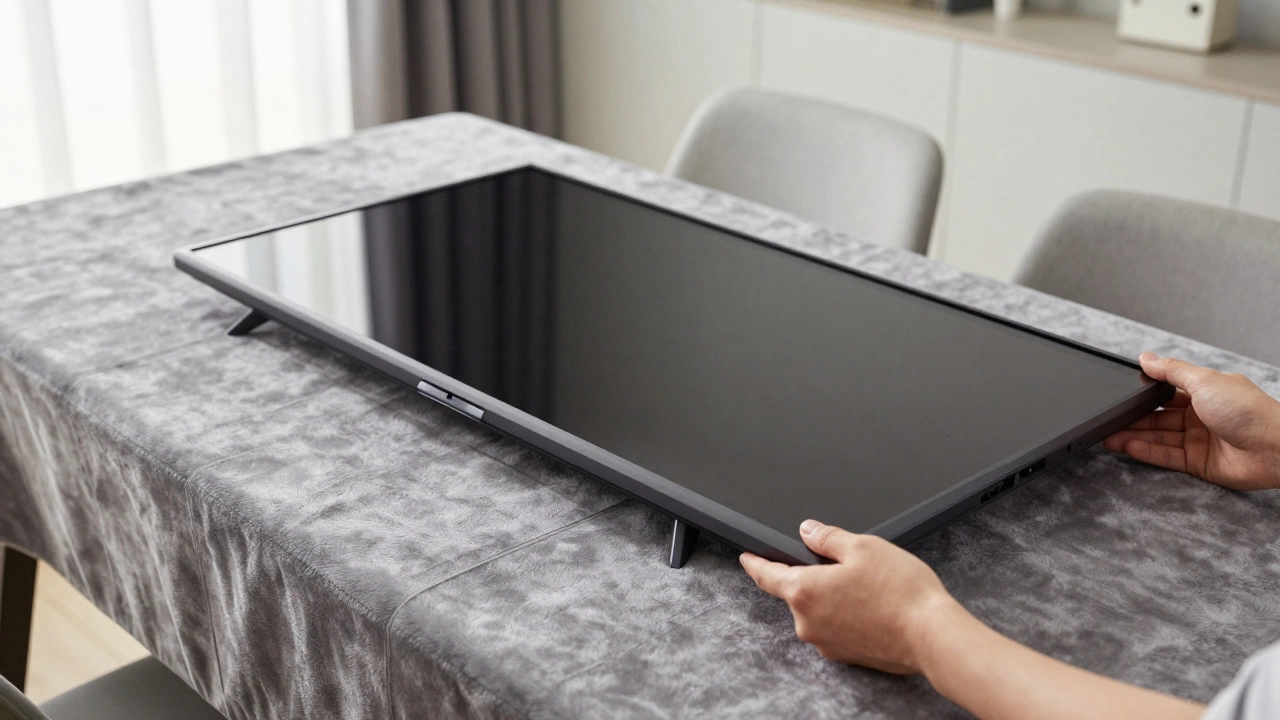
- Prepare a Large, Flat Surface: You need a table or floor space larger than the TV in all directions. A dining table works well, but ensure there are no objects underneath it that could poke up. If using the floor, remove any rugs with uneven seams or debris like coins or keys.
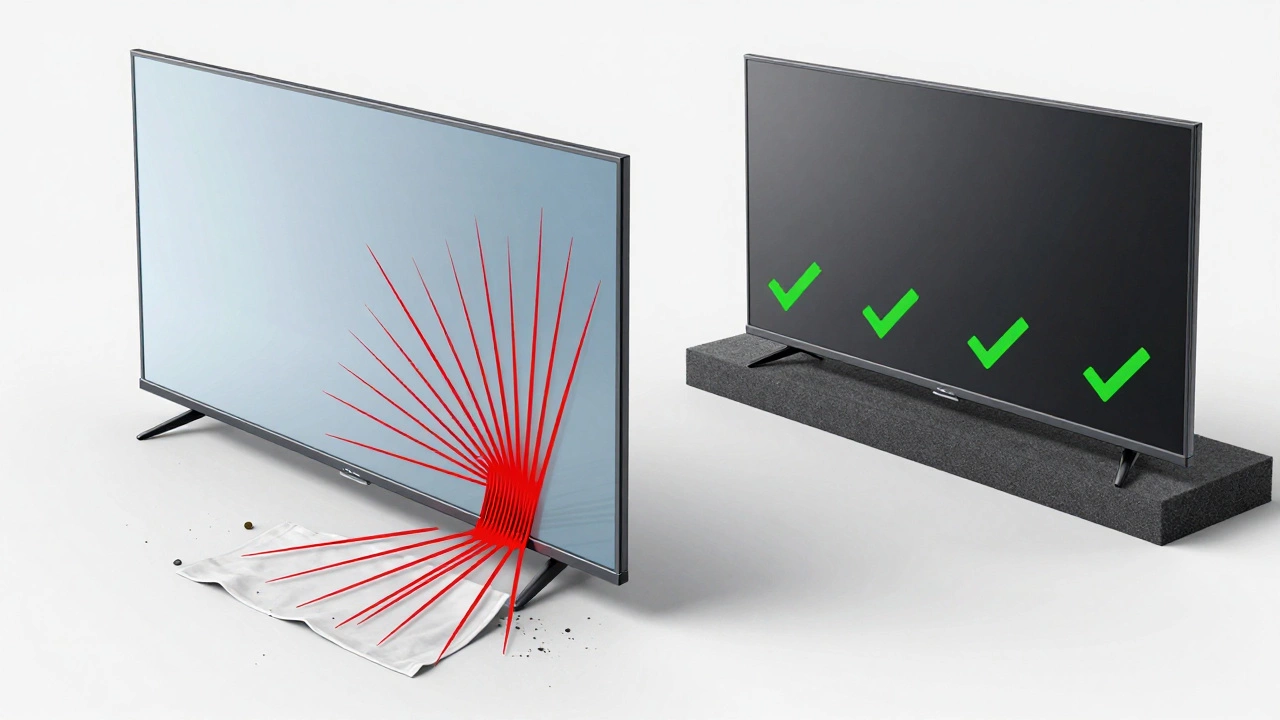
- Create a Soft Barrier: Never place the TV directly on wood, tile, or concrete. Use a thick blanket, a moving quilt, or two layers of bubble wrap. The material must be plush enough to absorb minor irregularities in the floor. Avoid thin towels; they compress too easily and offer little protection against point pressure.
- Support the Bezel, Not the Screen: When positioning the TV, ensure the weight rests primarily on the outer frame (the bezel), not the glass display area. For many models, the bottom edge of the bezel is reinforced. Check your manual for diagrams showing safe contact zones.
- Use Two People: One person should hold the TV steady while the other installs the legs. This prevents shifting, which can cause the TV to slide off the soft padding and hit the floor. Coordination is key here.
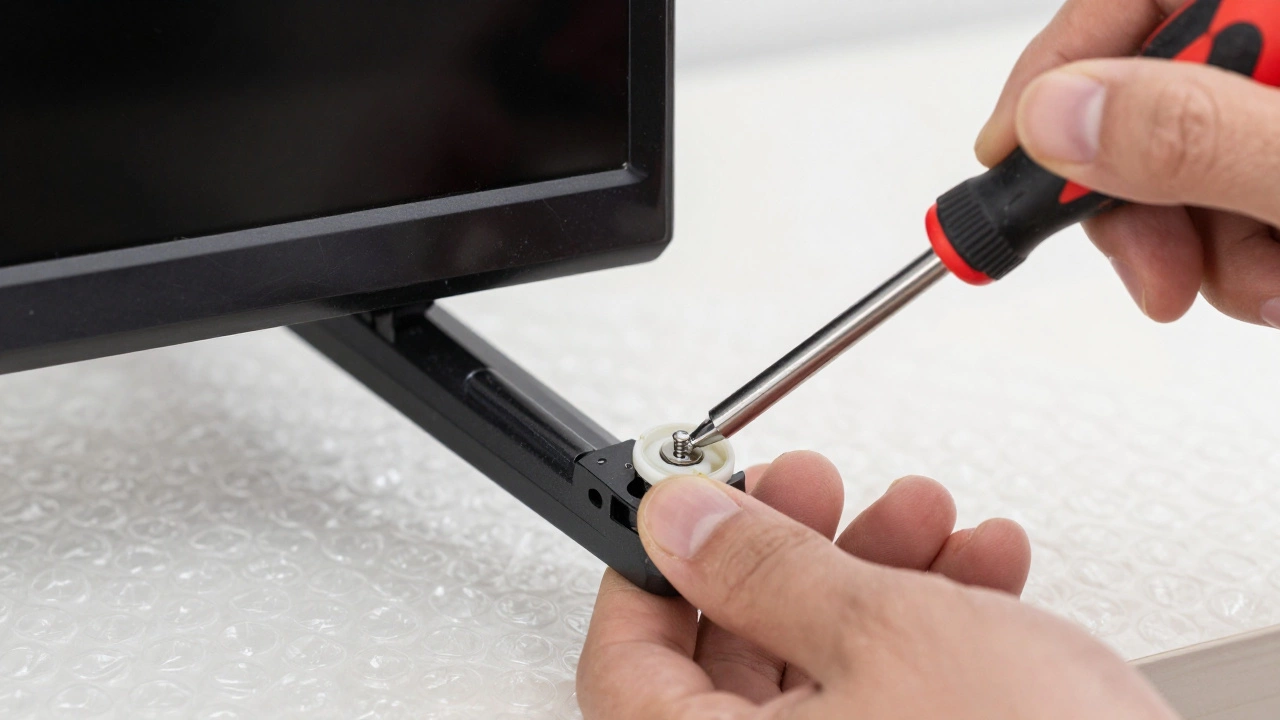
- Tighten Screws Gently: Do not overtighten the screws that attach the legs to the TV. Hand-tightening plus a quarter turn with a screwdriver is usually sufficient. Over-torquing can strip the threads in the plastic housing or crack the internal bracket mounts.
When You Should NOT Lay Your TV Flat
There are scenarios where laying the TV flat is simply too dangerous, regardless of how careful you are. Recognizing these situations can save you thousands of dollars in repairs.
| Scenario | Risk Level | Reason |
|---|---|---|
| Ultra-thin bezel models (< 5mm) | High | Lack of structural reinforcement around the edges makes the screen bear more load. |
| Large sizes (75 inches and above) | Very High | Weight distribution becomes difficult to manage; higher chance of bending during lifting. |
| Curved TVs | Extreme | Curved panels cannot lie flat on a level surface without creating high-pressure points at the edges. |
| Older or used TVs | High | Prior micro-fractures or weakened adhesives may fail under pressure. |
| No assistant available | Moderate to High | Risk of dropping or sliding increases significantly when working alone. |
If your TV falls into any of these categories, consider alternative methods. Some manufacturers provide a "stand installation tool" or recommend vertical mounting first. In extreme cases, hiring a professional installer is the safest route. They have specialized equipment, including suction cup lifters and padded tables designed specifically for this purpose.
Alternative Methods for Leg Installation
You don’t always have to lay the TV completely flat. Depending on your model and skill level, there are safer alternatives.
The Vertical Tilt Method
For some mid-sized TVs, you can prop the TV upright against a wall, tilted slightly backward. Place a soft pillow behind the top corner for support. This allows you to access the bottom mounting holes without putting full weight on the screen. However, this requires a sturdy helper to keep the TV from tipping forward. It’s risky if you’re alone or if the floor is slippery.
The Tabletop Assembly Trick
If your TV is small (under 40 inches), you might be able to assemble the legs while the TV sits upright on a large, stable table. You’ll need to reach underneath the TV to insert the screws. This is awkward and often impossible due to limited clearance, but it eliminates the face-down risk entirely. Use a long-handled screwdriver to make this easier.
Professional Installation Services
In Melbourne and across Australia, many electronics retailers offer white-glove delivery services. For an additional fee, they will unpack, assemble, and test your TV. This is particularly valuable for premium brands like Samsung QLED, LG OLED, or Sony Bravia. The cost is usually between $50 and $150 AUD, which is negligible compared to the $2,000+ replacement cost of a cracked screen.
Common Mistakes That Crack Screens
Even experienced DIYers make errors. Here are the most frequent blunders that lead to broken TVs during leg installation.
- Ignoring the Manual’s Warnings: Some manuals explicitly state "Do not lay face down." Ignoring this voids your warranty. Always check section 3 or 4 of the quick start guide for handling instructions.
- Using Hard Surfaces: Placing the TV on a wooden board covered with a thin cloth seems logical, but wood has knots and grain variations. A single knot pressing into the screen can cause immediate failure.
- Over-Tightening Mounting Screws: The metal screws for the legs often come with plastic washers. These washers distribute pressure. If you skip them or tighten too much, the screw head digs into the plastic mount, cracking it.
- Dropping Tools Inside the Cavity: When installing legs, you sometimes need to remove a rear cover. Dropping a screwdriver into the exposed circuitry can short out components or puncture capacitors.
- Not Checking for Debris: Before flipping the TV over, run your hand over the padding. A single pebble or coin hidden under the blanket acts like a hammer when the TV is placed on it.
What to Do If You Suspect Damage
After installing the legs, power on the TV and display a solid color image (white, black, red, green, blue). Look closely for any lines, dots, or discoloration. If you see anything unusual, turn off the TV immediately. Continuing to use a damaged panel can worsen the crack or cause electrical shorts. Contact the retailer or manufacturer within the return window. Most Australian consumer laws allow returns for faulty goods, but proving accidental damage during setup can be tricky. Documentation and photos of the packaging condition help support your claim.
Final Thoughts on TV Handling
Laying a TV flat to install legs is a standard practice, but it carries inherent risks. By understanding the fragility of modern display technologies and adhering to strict safety protocols, you can minimize the chance of damage. Remember, the goal is not just to get the legs on, but to enjoy your TV for years to come without worrying about a cracked screen. When in doubt, seek professional help. Your peace of mind is worth more than the cost of installation.
Is it safe to lay an OLED TV face down?
It is generally safe if done correctly with proper padding, but OLED panels are more sensitive to pressure than LCDs. Ensure the surface is perfectly flat and free of debris. Many experts recommend having a professional install legs on high-end OLED models to avoid any risk of Mura effects or cracking.
What is the best surface to lay a TV on for leg installation?
A large, flat table covered with a thick moving blanket or multiple layers of bubble wrap is ideal. If using the floor, ensure it is clean, hard, and free of seams or debris. Never use a bare wooden floor or carpet with thick piles.
Can I install TV legs by myself?
While possible for smaller TVs (under 40 inches), it is highly recommended to have a second person assist. They can stabilize the TV, prevent slipping, and help align the screws. Working alone increases the risk of dropping the TV or applying uneven pressure.
Will laying my TV face down void the warranty?
Only if the manufacturer explicitly warns against it in the manual. Most major brands (Samsung, LG, Sony) allow face-down placement for leg installation provided you follow their guidelines. However, if damage occurs due to improper handling, warranty claims for screen replacement will likely be denied.
How tight should the TV leg screws be?
Screws should be snug but not overtightened. Hand-tighten them first, then give them a gentle quarter-turn with a screwdriver. Overtightening can strip the plastic threads inside the TV chassis or crack the mounting bracket. Use the plastic washers provided to distribute pressure evenly.
What should I do if I hear a crackling sound after installing legs?
Turn off the TV immediately and inspect the screen for visible cracks or lines. If you suspect internal damage, do not attempt to fix it yourself. Contact the retailer or manufacturer for support. Continuing to use a potentially damaged TV can lead to further electrical issues or complete failure.
Are curved TVs safe to lay flat?
No, curved TVs should never be laid flat. The curvature creates high-pressure points at the edges, which can easily crack the panel or damage the internal structure. Curved models require specialized mounting techniques or professional installation.
Does the size of the TV affect installation safety?
Yes, larger TVs (65 inches and above) are heavier and more prone to bending during handling. They require more robust support surfaces and ideally two people for installation. The risk of accidental drops or uneven pressure increases significantly with size.